Advanced GROUPING Methods in Teradata SQL: GROUP BY GROUPING SETS, ROLLUP, and CUBE

Teradata SQL and Advanced GROUPING Functions
What advanced GROUPING methods are there in Teradata SQL?- GROUP BY GROUPING SETS
- GROUP BY ROLLUP
- GROUP BY CUBE
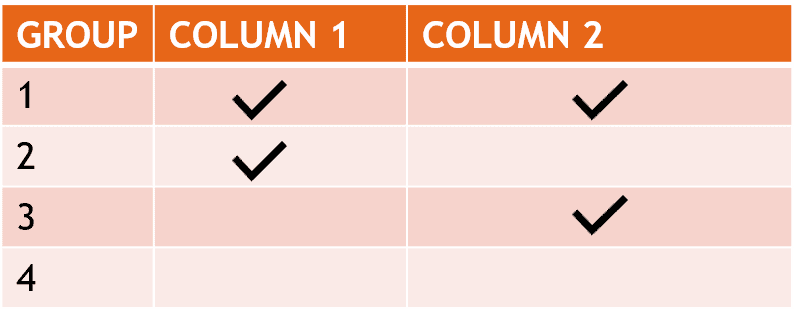
What is GROUP BY CUBE used for?One or more columns are used to group across multiple dimensions.
If grouped by n columns, the result is 2 to the power of n rows, as shown in the graph:
What is GROUP BY ROLLUP used for? This functionality is used to group columns over a single dimension calculating multiple levels of detail.
What is GROUP BY GROUPING SET used for? Groups over one dimension without ROLLUP or several dimensions without CUBE
What is a GROUPING SET?A set of columns over which we group.
What is an empty GROUPING SET?It is represented by a left and right bracket "()" and returns a grand total
The advanced GROUPING functions will be demonstrated through the following example. The foundation of this demonstration is a table consisting of the flight count for each aircraft and date:
CREATE MULTISET TABLE Flights ( PLANE AS BIGINT NOT NULL, FLIGHTDATE AS DATE NOT NULL, NR_FLIGHTS INTEGER NOT NULL ) PRIMARY INDEX (PLANE);
Below you can see our test data:
Want more practical data engineering analysis like this?
Join DWHPro Letters and get field-tested notes on Teradata, Snowflake, AI, migrations, performance, and enterprise data work. DWHPro Letters is free. Subscribe to get new issues by email.
| Plane | FlightDate | Flights |
| 1 | 2019-02-26 | 5 |
| 2 | 2019-02-26 | 2 |
| 3 | 2019-02-26 | 3 |
| 1 | 2019-02-27 | 1 |
| 2 | 2019-02-27 | 2 |
| 3 | 2019-02-27 | 5 |
| 1 | 2019-02-28 | 5 |
| 2 | 2019-02-28 | 1 |
| 3 | 2019-02-28 | 1 |
| 1 | 2019-03-01 | 5 |
| 2 | 2019-03-01 | 3 |
| 3 | 2019-03-01 | 2 |
| 1 | 2019-03-02 | 1 |
| 2 | 2019-03-02 | 1 |
| 3 | 2019-03-02 | 1 |
Teradata SQL - GROUP BY GROUPING SETS
Data can be grouped on a singular dimension without ROLLUP or on multiple dimensions using CUBE. Consider this illustration:
If you work with enterprise data platforms, migrations, performance tuning, or AI-driven delivery teams, DWHPro Letters is written for you. Get the next issue by email.
SELECT PLANE, EXTRACT(MONTH FROM FLIGHTDATE) AS TheMonth, EXTRACT(YEAR FROM FLIGHTDATE) AS TheYear, SUM(NR_FLIGHTS) AS NR_FLIGHTS FROM FLIGHTS GROUP BY GROUPING SETS (PLANE,TheMonth,TheYear) ORDER BY 1 DESC,2 DESC,3 DESC;
| Plane | TheMonth | TheYear | NR_FLIGHTS |
| 3 | NULL | NULL | 12 |
| 2 | NULL | NULL | 9 |
| 1 | NULL | NULL | 12 |
| NULL | 3 | NULL | 13 |
| NULL | 2 | NULL | 25 |
| NULL | NULL | 2019 | 38 |
GROUP BY GROUPING SETS determines the number of flights for each plane, monthly and annually.
Details about GROUP BY GROUPING SET
- All columns of GROUPING sets must reference column names. The referencing cannot be done using the position as it is possible in simple GROUP BY (GROUP BY 1,2).
- Each GROUPING SET may contain a maximum of 190 columns.
- Large objects cannot be used in a GROUPING SET (CLOB, BLOB). They must first be cast into another data type. CLOB can be cast to CHAR or VARCHAR. BLOB can be cast to BYTE or VARBYTE.
Teradata SQL - GROUP BY ROLLUP
Categorizes data along a singular dimension with multiple levels of detail. An illustration is presented below:
SELECT PLANE, EXTRACT(MONTH FROM FLIGHTDATE) AS TheMonth, EXTRACT(YEAR FROM FLIGHTDATE) AS TheYear, SUM(NR_FLIGHTS) AS NR_FLIGHTS FROM FLIGHTS GROUP BY ROLLUP (Plane,TheMonth,TheYear) ORDER BY 1 DESC,2 DESC,3 DESC;
| Plane | TheMonth | TheYear | NR_FLIGHTS |
| 3 | 3 | 2019 | 3 |
| 3 | 3 | NULL | 3 |
| 3 | 2 | 2019 | 9 |
| 3 | 2 | NULL | 9 |
| 3 | NULL | NULL | 12 |
| 2 | 3 | 2019 | 4 |
| 2 | 3 | NULL | 4 |
| 2 | 2 | 2019 | 5 |
| 2 | 2 | NULL | 5 |
| 2 | NULL | NULL | 9 |
| 1 | 3 | 2019 | 6 |
| 1 | 3 | NULL | 6 |
| 1 | 2 | 2019 | 11 |
| 1 | 2 | NULL | 11 |
| 1 | NULL | NULL | 17 |
| NULL | NULL | NULL | 38 |
GROUP BY ROLLUP calculates the number of flights for each plane, each distinct month, each month per year, and the total.
Details about GROUP BY ROLLUP
- Several GROUPING SETS can be defined in one SQL. In our example, we use only one (Plane, TheMonth, TheYear)
- Large objects cannot be used in a GROUPING SET (CLOB, BLOB). They must first be cast into another data type. CLOB can be cast to CHAR or VARCHAR. BLOB can be cast to BYTE or VARBYTE.
- All columns of GROUPING sets must reference column names. The referencing cannot be done using the position as in simple GROUP BY (GROUP BY 1,2).
- GROUP BY ROLLUP on a single column corresponds to a simple GROUP BY statement
- Each GROUPING SET may contain a maximum of 190 columns.
Teradata SQL - GROUP BY CUBE
Organizes data across multiple dimensions. For instance:
SELECT PLANE, EXTRACT(MONTH FROM FLIGHTDATE) AS TheMonth, EXTRACT(YEAR FROM FLIGHTDATE) AS TheYear, SUM(NR_FLIGHTS) AS NR_FLIGHTS FROM FLIGHTS GROUP BY CUBE (Plane,TheMonth,TheYear) ORDER BY 1 DESC,2 DESC,3 DESC;
| Plane | TheMonth | TheYear | NR_FLIGHTS |
| 3 | 3 | 2019 | 3 |
| 3 | 3 | NULL | 3 |
| 3 | 2 | 2019 | 9 |
| 3 | 2 | NULL | 9 |
| 3 | NULL | 2019 | 12 |
| 3 | NULL | NULL | 12 |
| 2 | 3 | 2019 | 4 |
| 2 | 3 | NULL | 4 |
| 2 | 2 | 2019 | 5 |
| 2 | 2 | NULL | 5 |
| 2 | NULL | 2019 | 9 |
| 2 | NULL | NULL | 9 |
| 1 | 3 | 2019 | 6 |
| 1 | 3 | NULL | 6 |
| 1 | 2 | 2019 | 11 |
| 1 | 2 | NULL | 11 |
| 1 | NULL | 2019 | 17 |
| 1 | NULL | NULL | 17 |
| NULL | 3 | 2019 | 13 |
| NULL | 3 | NULL | 13 |
| NULL | 2 | 2019 | 25 |
| NULL | 2 | NULL | 25 |
| NULL | NULL | 2019 | 38 |
| NULL | NULL | NULL | 38 |
Details about GROUP BY CUBE
- Several GROUPING SETS can be defined in one Teradata SQL. In our example, we use only one (Plane, TheMonth, TheYear)
- All columns of GROUPING sets must reference column names. The referencing cannot be done using the position as in simple GROUP BY (GROUP BY 1,3).
- Large objects cannot be used in a GROUPING SET (CLOB, BLOB). They must first be cast into another data type. CLOB can be cast to CHAR or VARCHAR. BLOB can be cast to BYTE or VARBYTE.
- Each GROUPING SET may contain a maximum of 8 columns.
Teradata's advanced grouping options facilitate multi-level grouping, resulting in improved performance.
Planning or surviving an enterprise data platform migration?
I write regularly about the performance, cost, architecture, and project mistakes that show up in real Teradata, Snowflake, Databricks, and enterprise data work.
Subscribe for free and keep launch access.
Written by Roland Wenzlofsky, founder of DWHPro and author of Teradata Query Performance Tuning. DWHPro has helped data warehouse practitioners for 15+ years.