Effortlessly Loading a CSV File into Teradata using Python
Learn how to easily load a CSV file into a Teradata database using Python with minimal code. No need for complex scripts or ETL tools. Read more.

Loading a text file into a Teradata database can be arduous without the use of intricate scripts. However, generating TPT scripts or depending on ETL tools like Informatica, AB Initio, and Datastage can be a protracted process. A more straightforward alternative is to utilize Teradata in conjunction with Python. This article will show how to load a CSV file into a Teradata database with minimal code. It is important to mention that this approach is most suitable for smaller files as fastload or multiload protocols will not be utilized.
Preparing the CSV test file
We generate a testing table consisting of three columns with INTEGER data types, then proceed to import the subsequent CSV file.
1,2,3
4,5,6
7,8,9
10,11,12
Want more practical data engineering analysis like this?
Join DWHPro Letters and get field-tested notes on Teradata, Snowflake, AI, migrations, performance, and enterprise data work. DWHPro Letters is free. Subscribe to get new issues by email.
The Python Script
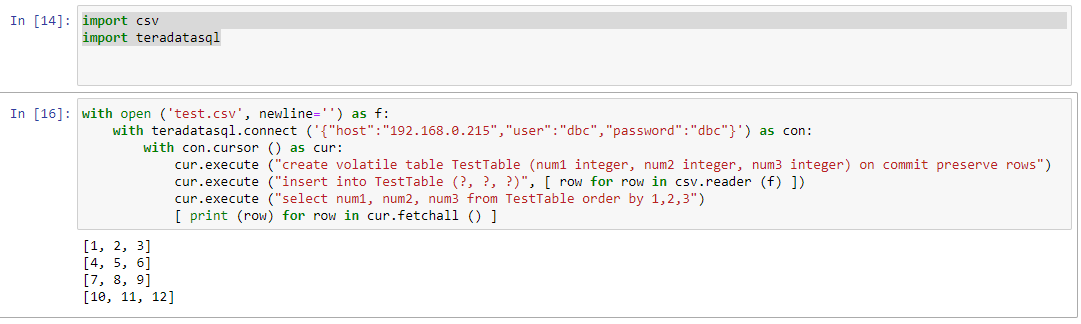
We begin by importing the CSV file into a temporary Teradata table, which is immediately reread. The data is retrieved as a list, where each row contains several easily accessible columns within the list element.
Our example exemplifies pristine simplicity.
import csv
import teradatasql
with open ('test.csv', newline='') as f:
    with teradatasql.connect ('{"host":"192.168.0.215","user":"dbc","password":"dbc"}') as con:
        with con.cursor () as cur:
            cur.execute ("create volatile table TestTable (num1 integer, num2 integer, num3 integer) on commit preserve rows")
            cur.execute ("insert into TestTable (?, ?, ?)", [ row for row in csv.reader (f) ])
            cur.execute ("select num1, num2, num3 from TestTable order by 1,2,3")
            [ print (row) for row in cur.fetchall () ]
Planning or surviving an enterprise data platform migration?
I write regularly about the performance, cost, architecture, and project mistakes that show up in real Teradata, Snowflake, Databricks, and enterprise data work.
Subscribe for free and keep launch access.
Written by Roland Wenzlofsky, founder of DWHPro and author of Teradata Query Performance Tuning. DWHPro has helped data warehouse practitioners for 15+ years.